Sydenham Markets is a covered food market in Christchurch, trading the last Sunday of every month under the Durham Street bridge. Four partners run it and the vendors are the customers. Here is what running it looked like before the Markets Hub, and what changed after.
Sydenham Markets was running on a Google Form, a spreadsheet holding 106 applications nobody had processed, a Word document vendor list, a site map built in Canva, invitation emails sent by hand as a BCC list, and invoices typed out one at a time. Six tools, none of them talking to each other, all of them depending on one person remembering to update the others.
None of it was broken exactly. It was that every market cost a full day of admin that had nothing to do with running a market.
Vendor applications landed in a spreadsheet and stayed there. 106 of them built up unprocessed in a sheet that had grown too wide to read, so working out who had been replied to, who was still waiting and who was never a fit meant scrolling sideways through columns and hoping.
The site map was written out on paper first, then rebuilt in Canva before every market, and changing one vendor meant redrawing it. Who needed power, who could not stand next to another vendor selling the same thing, what time each one had to arrive, none of that was recorded anywhere. It lived in someone's head and got typed out by hand every time.
Inviting vendors meant going through the spreadsheet, writing the shortlist into a Google Doc, copying each person's details across, then hunting down their email address one at a time to build the send list. When replies came in, back to the Google Doc to highlight who had confirmed, then into Canva to type everyone's name onto the map, then out again to tell each vendor their arrival time.
Sales figures were collected on paper on market day and turned into invoices by hand the next day. That was a five hour job, and emailing them all out was another job on top of it. Every invoice was a fresh chance to fat-finger a number, and nobody could answer "who still owes us?" without going through the whole folder.
Instead of replacing each tool separately, we built a single system that runs the whole cycle. Application, vendor database, market planning, invitations, market day, invoicing, payment, reporting, next market. Every part of it exists because of a specific job that used to be done by hand, in a business we run ourselves.
Vendors apply on the market's own website and land straight in the database, with stall size, power needs, food licence and public liability already attached.
Every vendor sits at a stage, from first application through to active stall-holder, with a rating, trading history, signed agreement and a full activity timeline.
Build the floor plan by dragging vendors onto slots. Power needs and arrival times are attached to the map itself, it warns on stall size mismatches, and it flags when two vendors selling the same thing end up side by side. Export the finished map as an image for the vendor pack.
Generate the invite list from the vendors already placed on the map, send it, and tick people off as they reply. Arrival times come from the slot each vendor is standing in, so the pack-in email builds itself.
The vendor agreement is ongoing rather than per market, so the system attaches it only for vendors who have not signed yet.
Walk the market and enter each vendor's takings on a phone, one thumb, saving as you go. Enter card and cash separately and the gross adds itself up.
Fees calculate from the settings, invoices number sequentially, PDFs generate and email themselves, and vendors with incomplete figures are held back rather than guessed at. Enter the takings, click generate, click send.
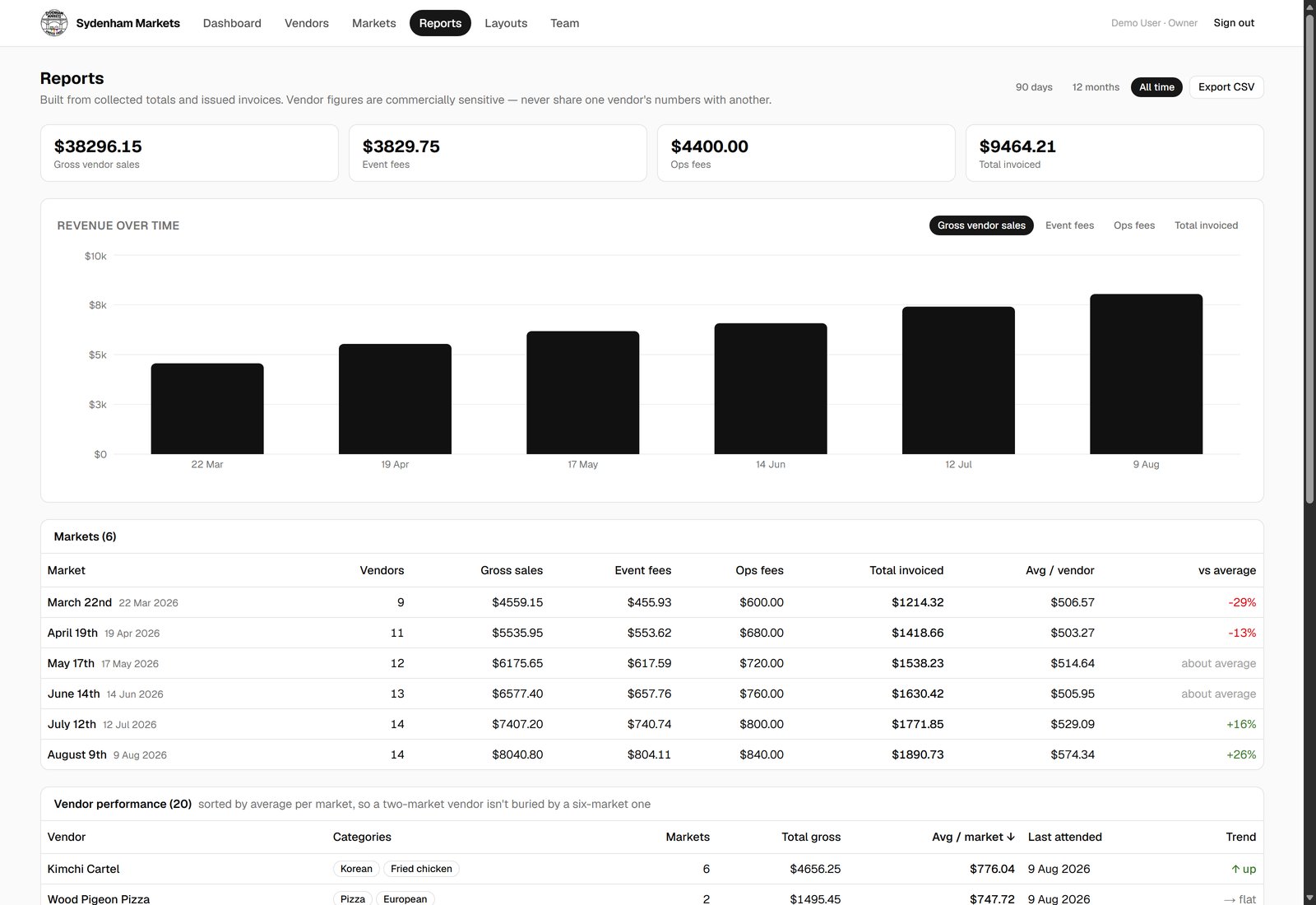
Every market side by side: gross sales, fees, vendor counts, and how each of those is moving over time.
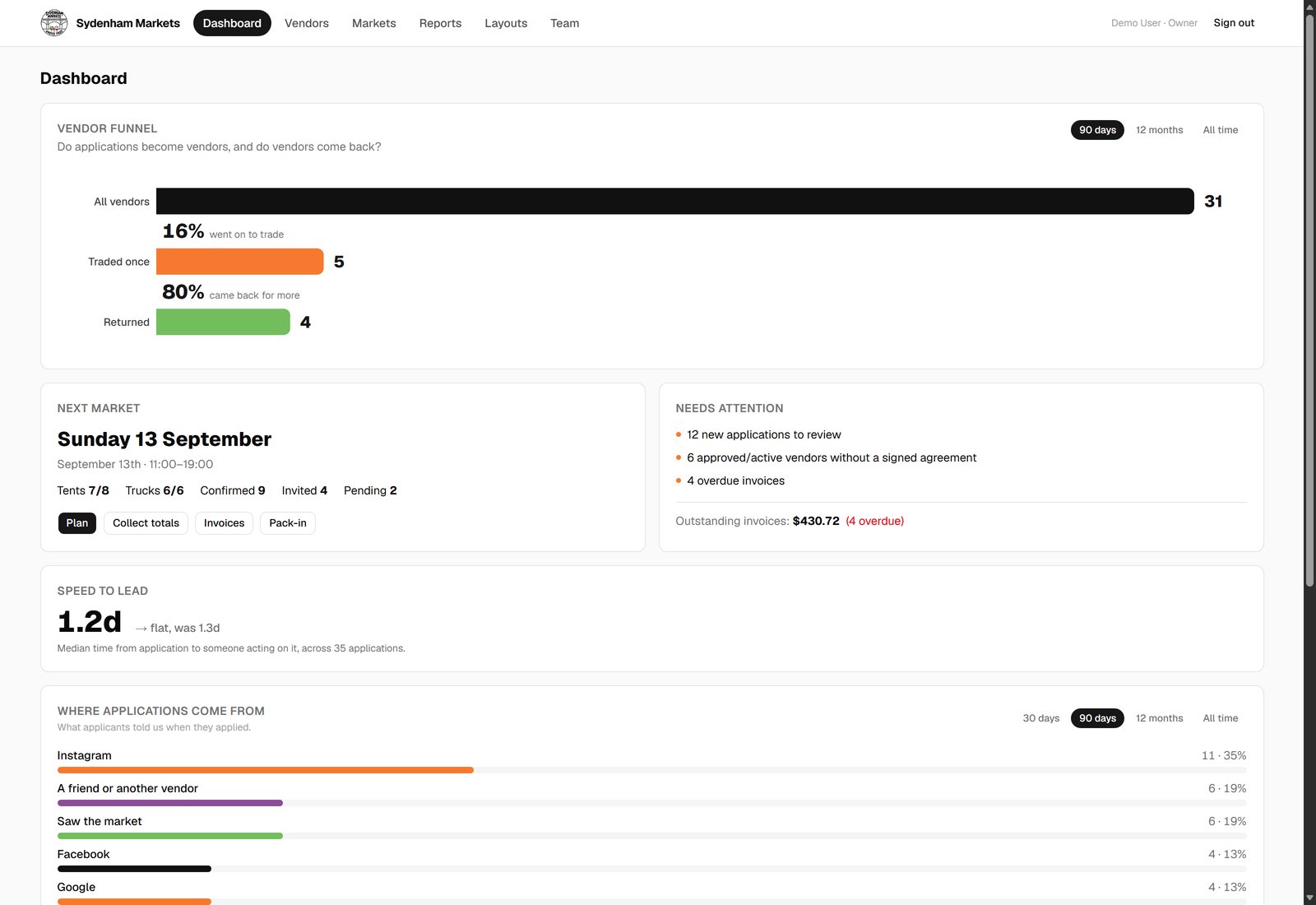
Every invoice carries a status and a due date, so outstanding and overdue are a number on a screen instead of a folder to go through.
No mockups, these are real screens from the live demo, filled with fake data so you can click around yourself.
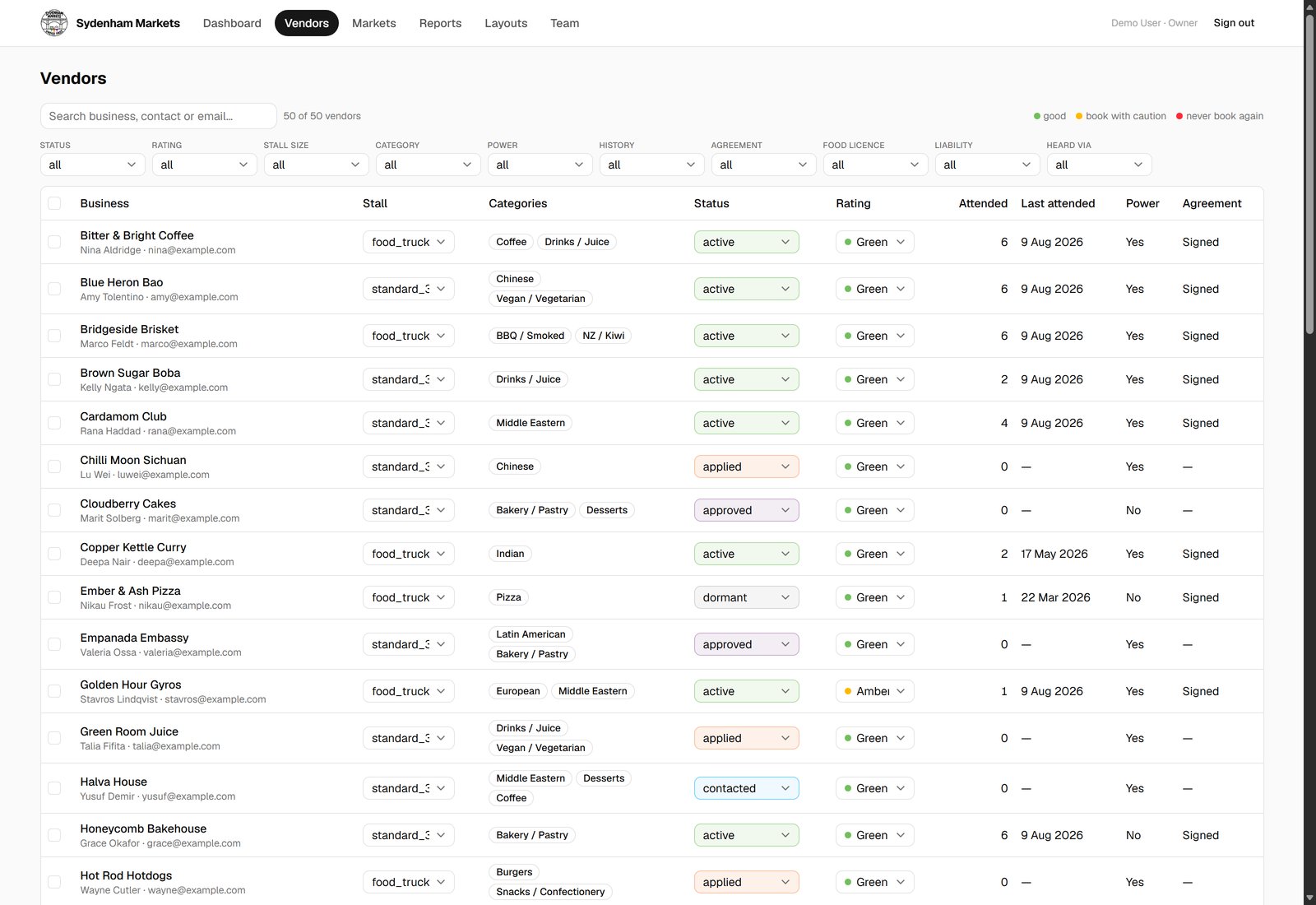
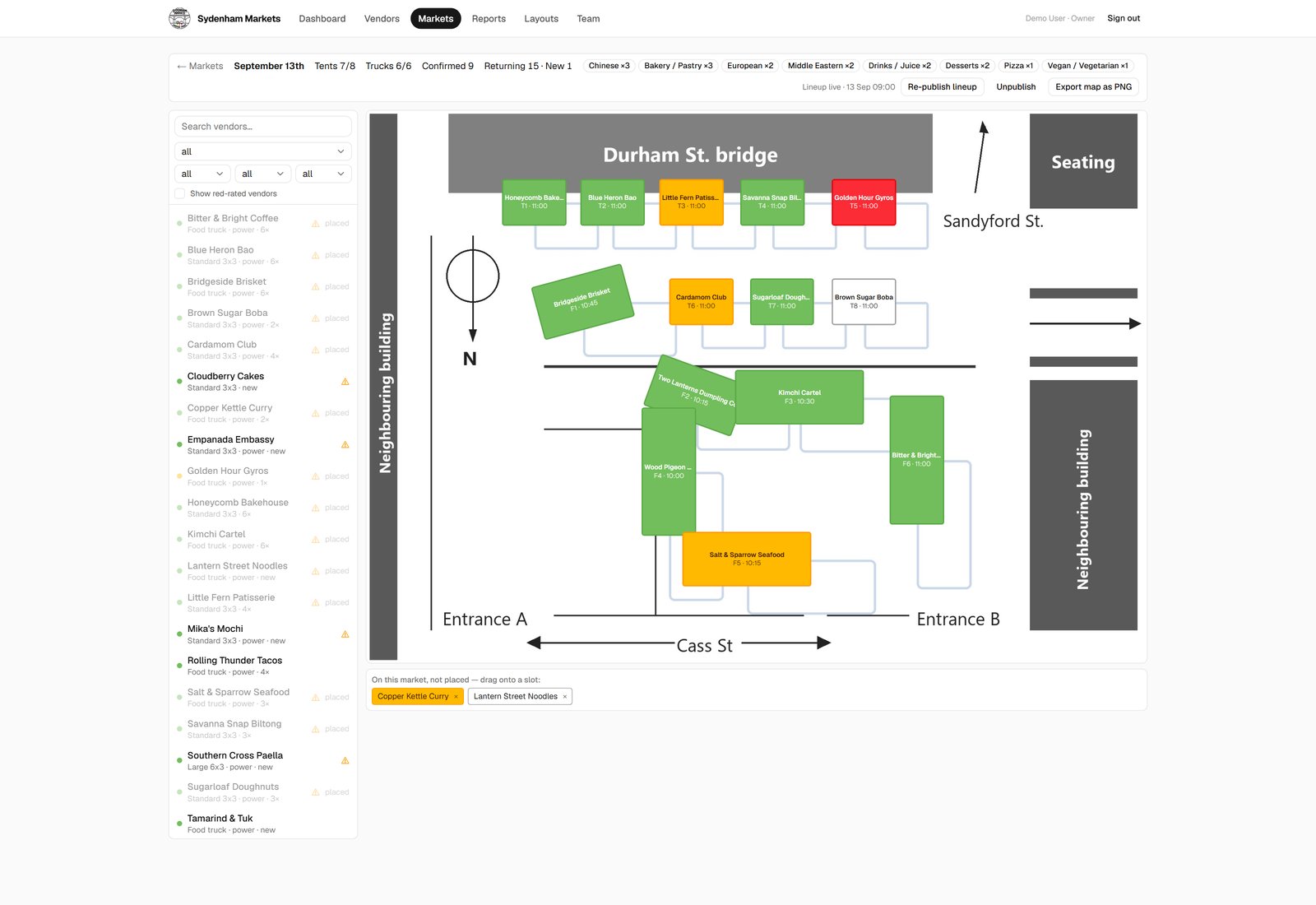
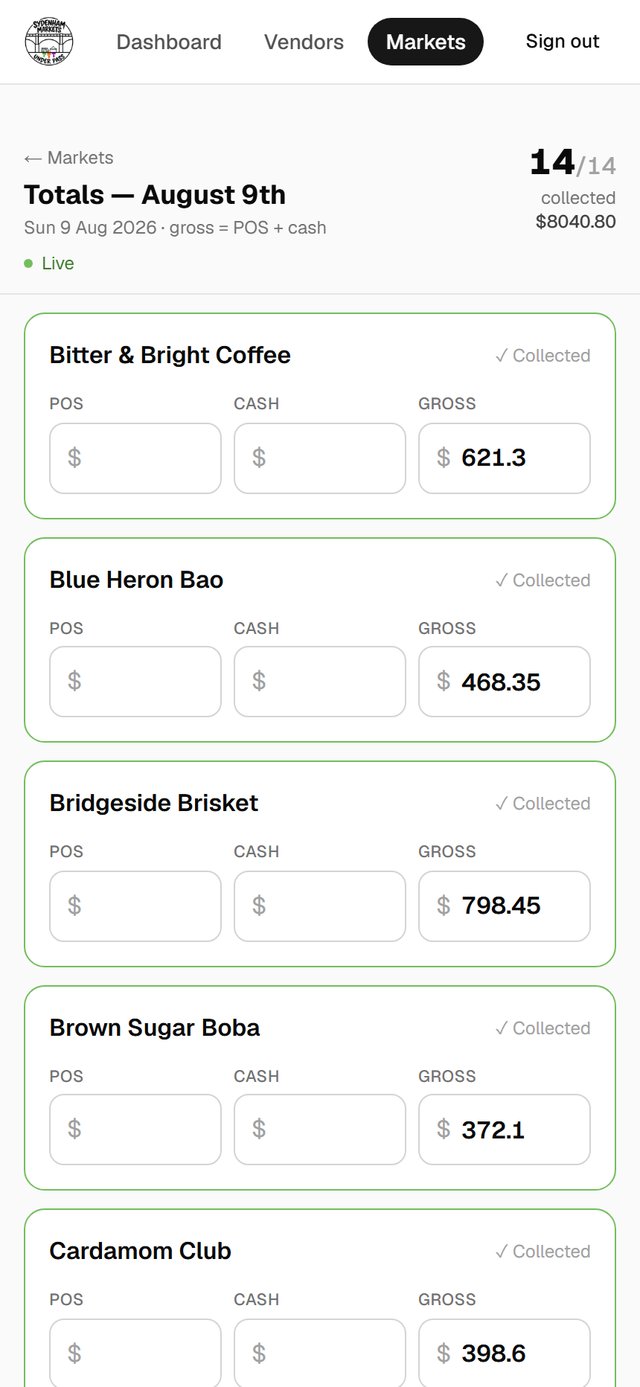
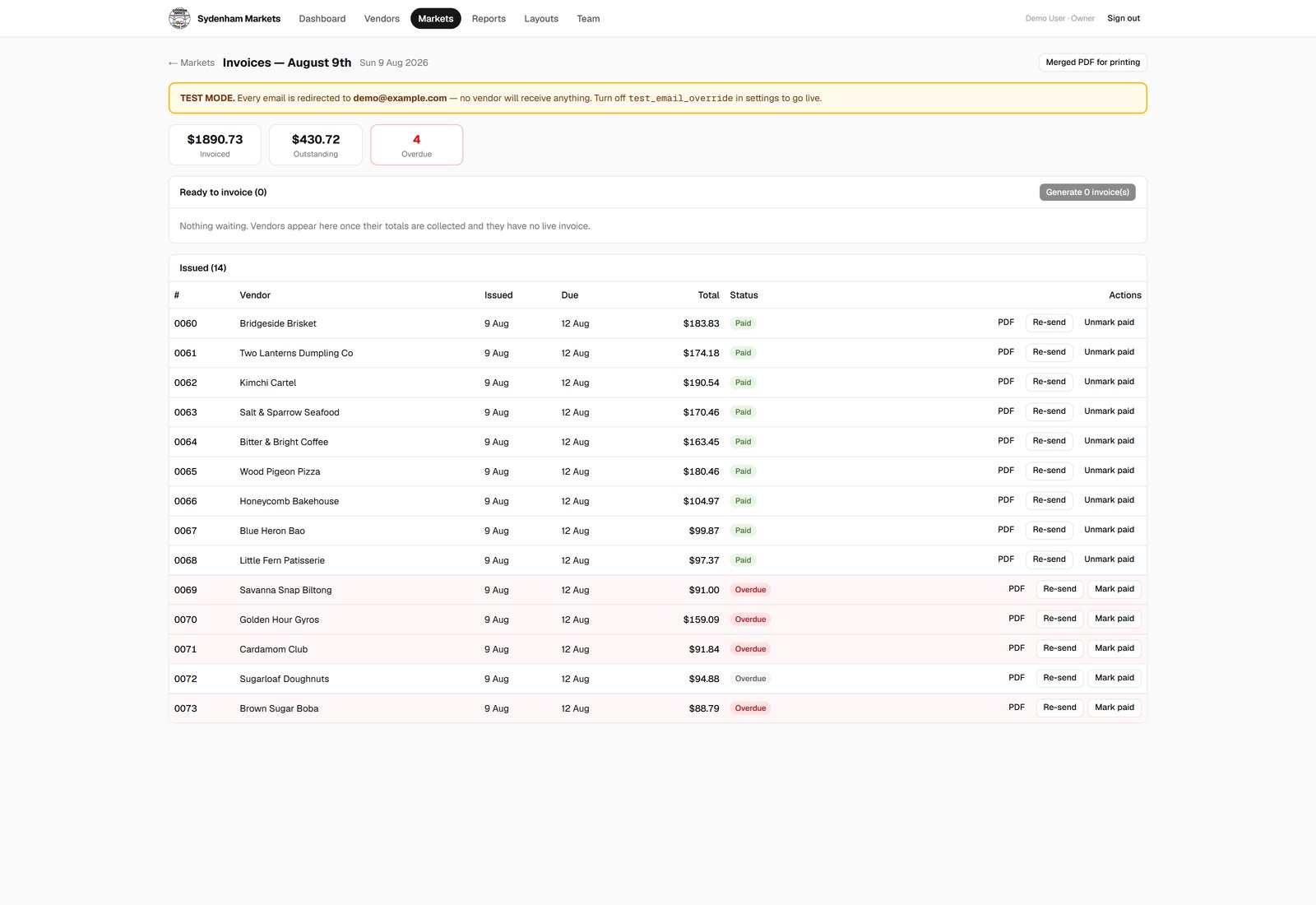
The Markets Hub is two-way synced with the market's AI brain, running on Claude. The hub is not a dashboard someone has to remember to keep updated, it is the same data the AI reads and writes.
In practice that looks like this: instead of opening the hub and filling in a form, you send a voice note, "Bitter and Bright did 620 on card and 180 cash", and the takings land against that vendor, ready for invoicing. Same for vendor notes, market planning and anything else that would otherwise mean stopping to type.
That is the layer on top: the system stays current because the AI works inside it too, not beside it.
This is the same approach behind everything Cerebria builds: prove it on a real business before offering it to a client. The Markets Hub is not a demo built to sell. It runs a real market, with real vendors and real money moving through it.
The first market we ran on it, planning was organised instead of scattered across four tools, and invoicing was done in ten minutes sitting in the car before driving home, instead of five hours the following day.
It works because it was built around the way this business actually runs, not around what a market operator is assumed to need. That is what we do for every business we build for.
The Markets Hub is live with dummy data, click around exactly like a real user would.
Open the live demo